Install SFTPGo on Debian
Install SFTPGo on Debian
SFTPGo is an event-driven file transfer solution. It supports multiple protocols (SFTP, SCP, FTP/S, WebDAV, HTTP/S) and multiple storage backends.
Installation
Install pre-required packages:
1
sudo apt install gnupg curl
Import the public key:
1
curl -sS https://ftp.osuosl.org/pub/sftpgo/apt/gpg.key | sudo gpg --dearmor -o /usr/share/keyrings/sftpgo-archive-keyring.gpg
Add the SFTPGo source list:
1
2
CODENAME=`lsb_release -c -s`
echo "deb [signed-by=/usr/share/keyrings/sftpgo-archive-keyring.gpg] https://ftp.osuosl.org/pub/sftpgo/apt ${CODENAME} main" | sudo tee /etc/apt/sources.list.d/sftpgo.list
Install via apt:
1
2
sudo apt update
sudo apt install sftpgo
Data Provider Configuration
Before starting SFTPGo, configure and initialize the data provider.
- SQLite: created automatically at startup
- PostgreSQL / MySQL / CockroachDB: create the database first
Edit the configuration:
1
sudo nano /etc/sftpgo/sftpgo.json
Update the data_provider section:
1
2
3
4
5
6
7
8
9
"data_provider": {
    "driver": "postgresql",
    "name": "dbname",
    "host": "db.ip.address",
    "port": 0,
    "username": "username",
    "password": "password",
    "sslmode": 0,
...
Or initialize the provider manually:
1
sudo sftpgo initprovider
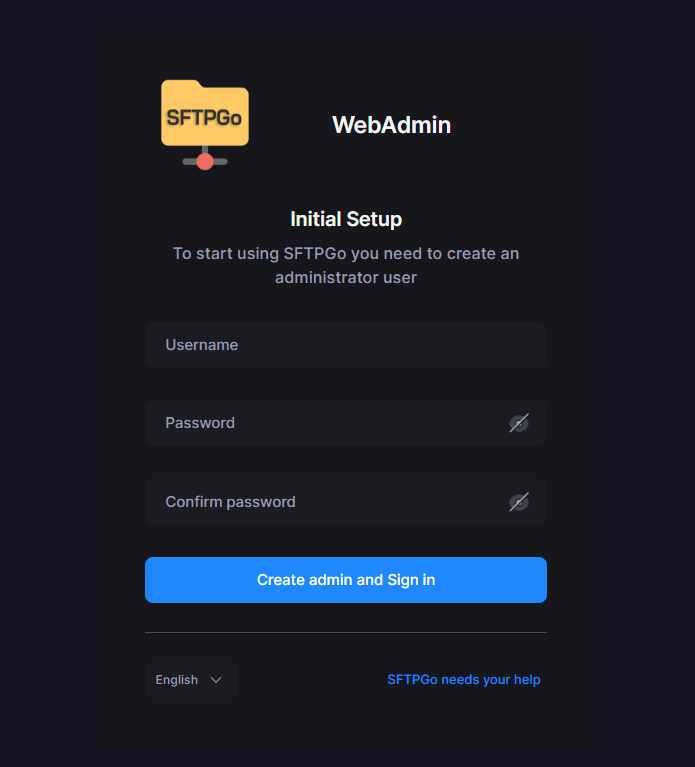
Open a browser and go to http://your.ip.address:8080. On first access, you will create the admin account.
References
This post is licensed under CC BY 4.0 by the author.