Install Monit on Debian
Install Monit on Debian
Monit is an open-source monitoring tool for Linux.
Installation
Monit is available in Debian repositories:
1
2
sudo apt update
sudo apt install monit
Enable it to run as a service:
1
sudo systemctl enable monit.service
Basic Setup
The default configuration file is at /etc/monit/monitrc:
1
sudo nano /etc/monit/monitrc
Example configuration with some options updated:
1
2
3
4
5
6
set daemon 20           # Update healthcheck interval to 20s
   with start delay 120 # Delay the first check by 2 minutes after Monit start
...
set httpd port 2812 and
    use address 127.0.0.1  # Your IP Address
    allow admin:monit      # Require user 'admin' with password 'monit'
This enables the web interface at http://127.0.0.1:2812.
Note: Change the IP address in the configuration file to match your server.
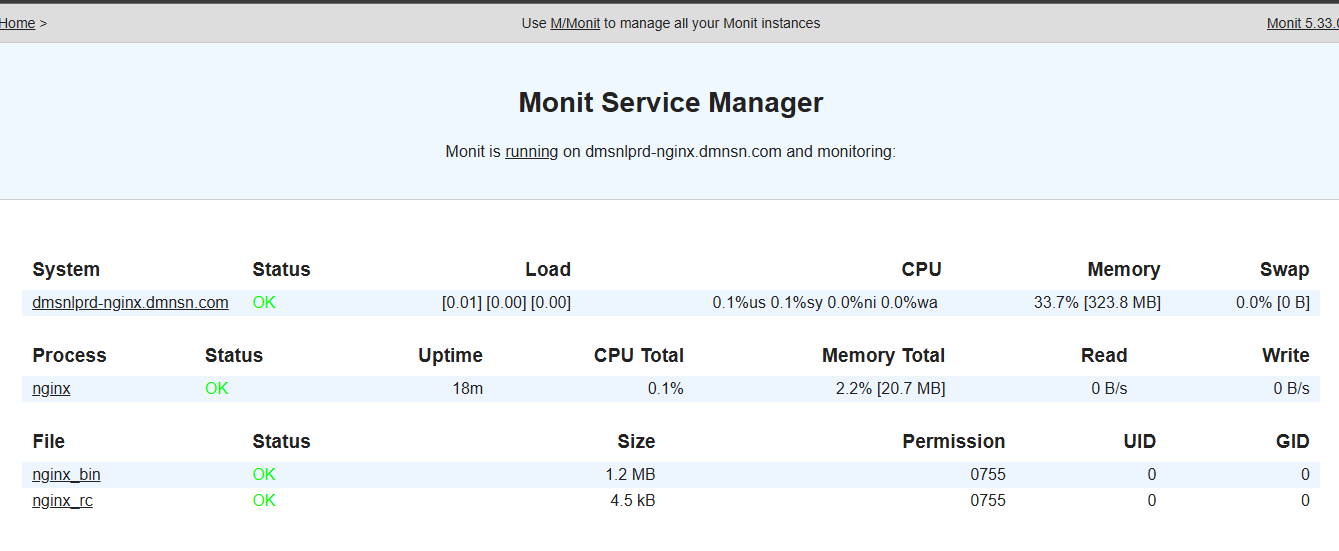
In this example, Monit monitors NGINX and restarts it when it stops unexpectedly. Enable the bundled NGINX config:
1
sudo ln -s /etc/monit/conf-available/nginx /etc/monit/conf-enabled/
Reload Monit to apply:
1
sudo systemctl reload monit.service
Done. Try stopping NGINX and watch Monit restart it automatically.
References
This post is licensed under CC BY 4.0 by the author.